
Syncing SharePoint Libraries for access in File Explorer:
- From Prime Meridian, navigate to the library you would like to sync. Here, we’re syncing the Salesforce Library.
- On the top menu bar, click on “Sync” next to Download.
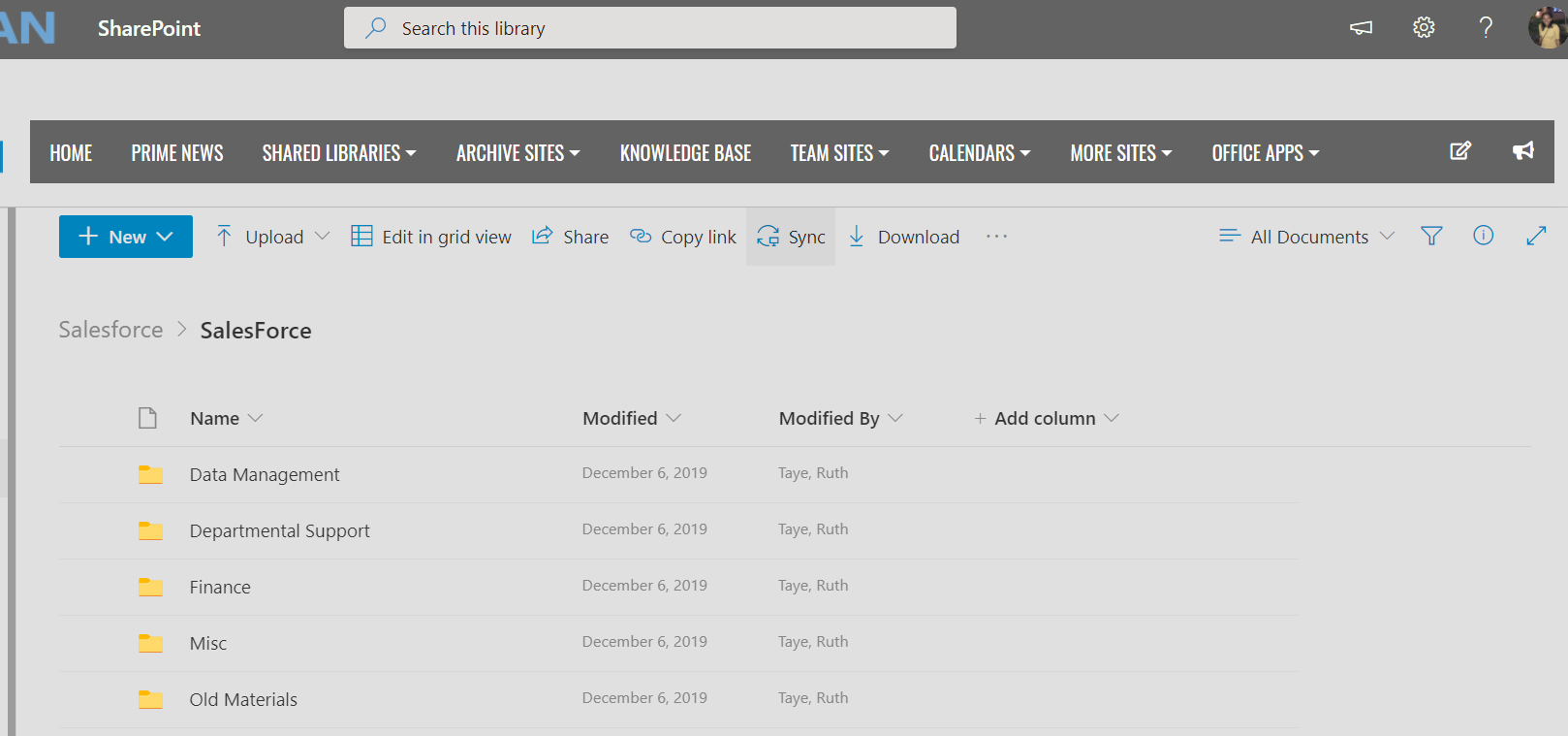
This will open the OneDrive Menu bar and finish the syncing process.
**Note: it’s very important that you DO NOT sync sub folders. Only high-level libraries should be synced. If you’re not sure if a path is a high-level library or sub folder, please submit a helpdesk ticket.
i.e. in the screenshot above, “Salesforce” is a high-level library and can be synced. The “Data Management” folder found within the Salesforce library should not be synced on it’s own. This will cause syncing conflicts.