Self Service Password Reset Portal allows users to reset their Microsoft 365 passwords and unblock accounts on-demand from any device or location. This allows users to get back to work faster and be more productive.
**Important: this process requires users to verify their identity via password, MFA and their mobile device phone number. If you would like to change your mobile phone number, please go to your Security Info page at My Sign-Ins | Security Info | Microsoft.com
Users have two ways to reset their work Microsoft password.
1. Go to www.office.com, select Sign in option, enter your work email and "Forgot Password".
2. Go to Self Service Password Reset Portal at
https://passwordreset.microsoftonline.com/
From here, you'll be prompted with the following:
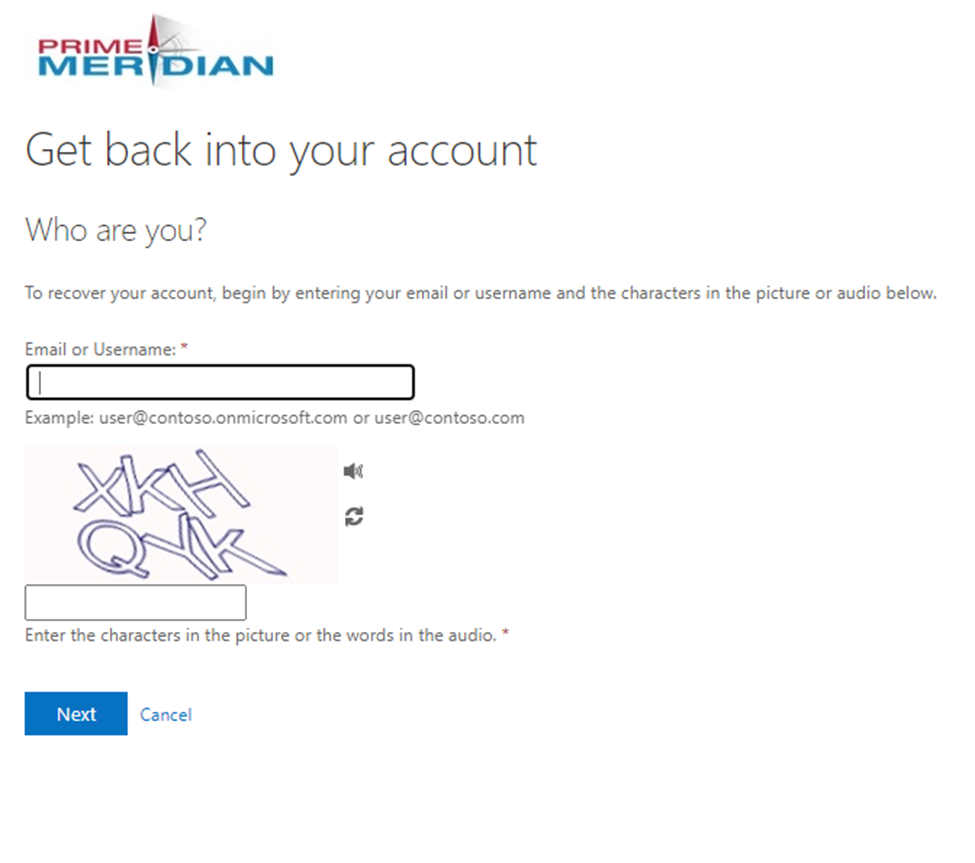
A) Enter your Meridian email followed by the characters.
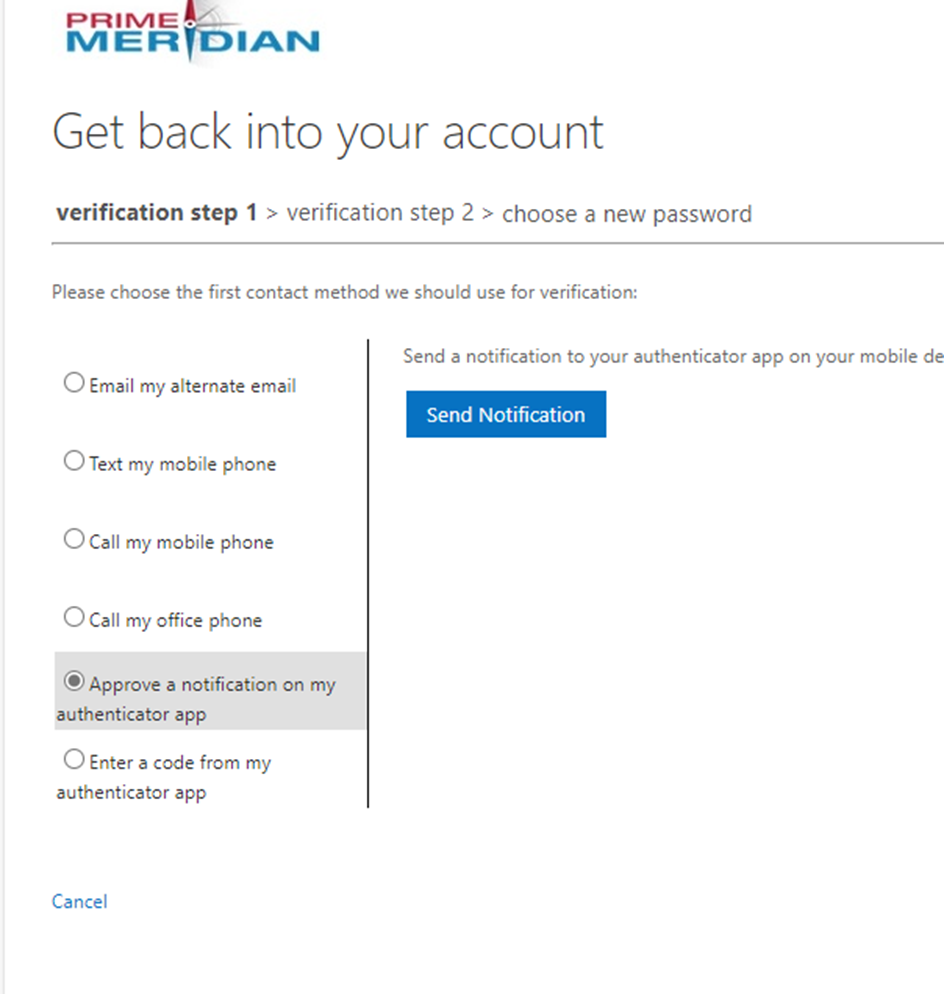
B) Next, you'll be taken to verification step 1. Be sure to select option "Approve a notification on my authenticator app".
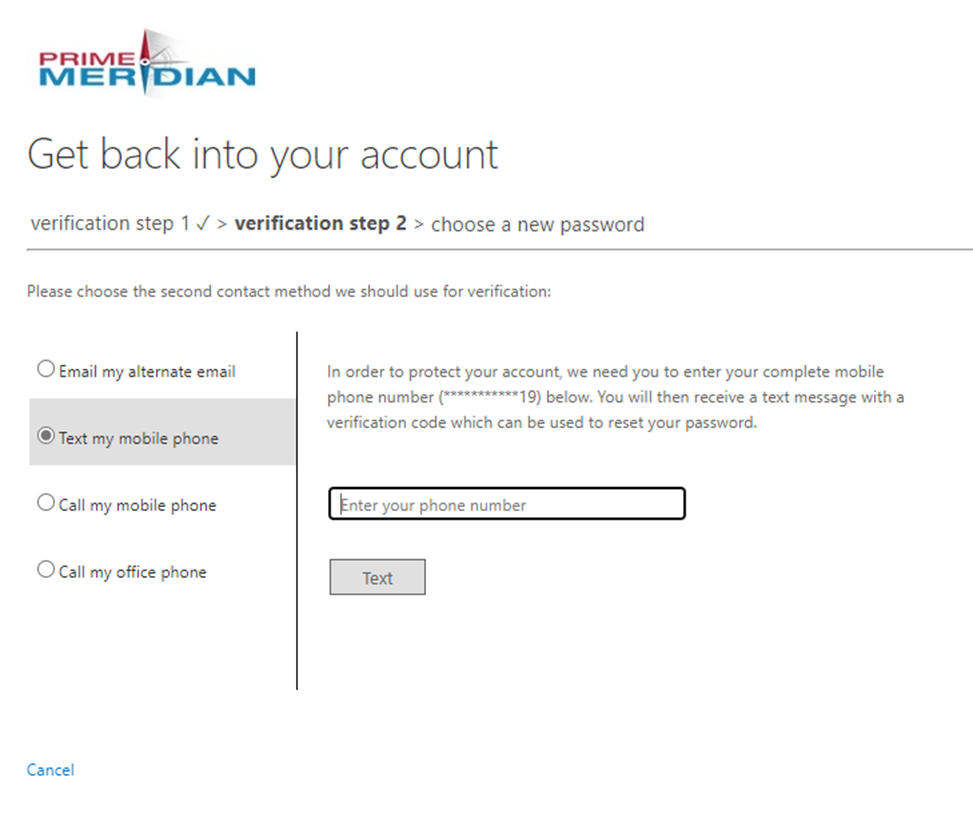
C) Next, verification step 2 requires your alternate email or mobile phone number.
D) Create your new password.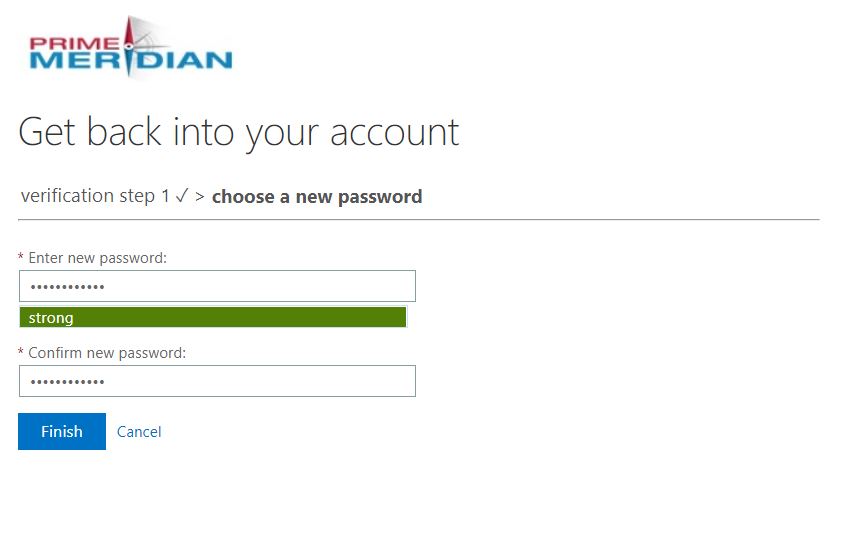
E) Once you see the notice below, your password should be changed. Your Microsoft applications should change immediately; however, it may take up to 1 hour before your PC login changes as well.