
When you want to share files that are on your personal OneDrive with a team of people, you can move the files between your OneDrive for Business account and a SharePoint site or Library. Please see below for step-by-step instructions:
Open OneDrive for Business on your Browser
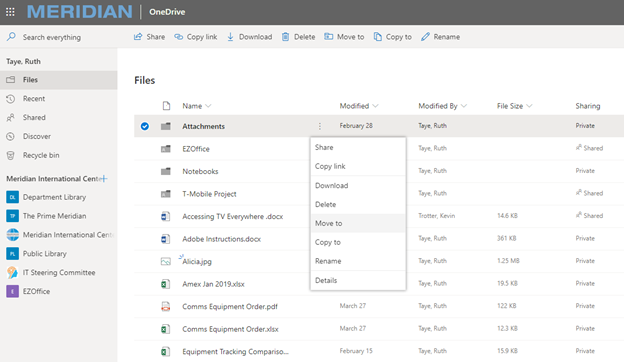
Select the files or folders you want to move, and then select Move to.
Under Choose a destination, select the location you want to move the file to.
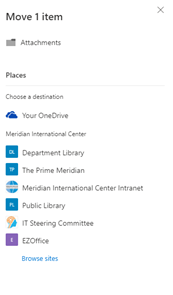
If you don't see your desired destination, click on Browse Sites to find more locations.
For assistance, contact helpdesk@meridian.org