
Office365 offers a very useful tool that enables users to save any file directly to a SharePoint Library in just a few easy steps! Please see below for instructions:
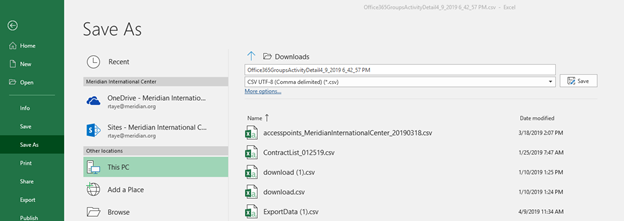
Once you’re ready to save your document to a SharePoint library, click on File > Save as
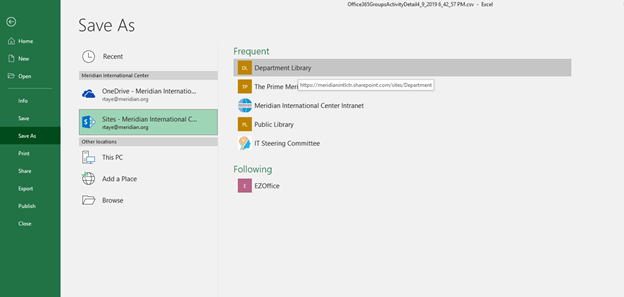
Under the Recent tab, select on the option for "Sites-Meridian International Center", followed by the SharePoint site you'd like to save the file to. (See image below)
Once you've identified the SharePoint Library, you can name the file, and click save
For assistance, please contact helpdesk@meridian.org