
E-mail attachments can now be saved directly to a folder in your OneDrive for Business account. Once there, you can there share the attachment with others, or move the attachments to SharePoint online. Please follow the instructions below to save your e-mail attachments directly to your OneDrive.
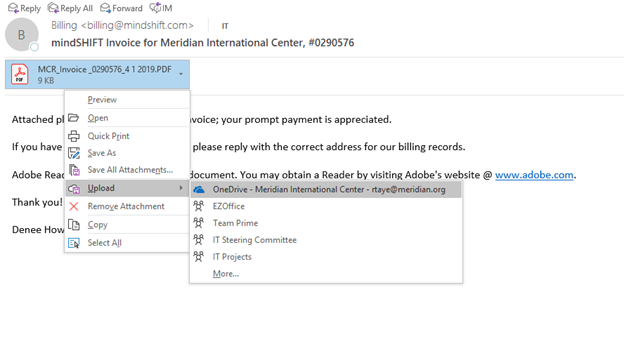
- Locate your e-mail containing the attachment
- Click on the little drop down arrow on your attachment
- Select Upload
- Select OneDrive- Meridian International Center
(See the image below)
For assistance, please contact helpdesk@meridian.org