
AlertMedia, our emergency mass communications system, will only be used for Meridian campus emergencies (e.g. Fire, Tornado, Suspicious Person, Active Shooter, Terror Threat).
Please add Meridian’s designated emergency alert telephone number to your phone contacts: (740) 299-2601.
The AlertMedia mobile app is recommended for use. Just go to your phone app store and look for “AlertMedia”.
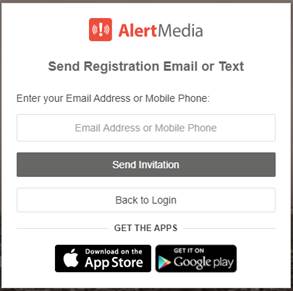
- To activate your AlertMedia mobile app, you will need to register at https://dashboard.alertmedia.com/#/login/register/ .
- Enter your work e-mail or mobile phone number(see image below). Once you receive your invitation, following instructions accordingly. After registration is complete, you will have the necessary login to access the phone app.
- As for Location Services feature, by default the AlertMedia phone app only tracks users’ location once opened. If you want to turn off the Location Services feature, go to app settings (gear icon) and click where it shows “Location Services”.
For more details on AlertMedia mobile app features go HERE.
Any questions should be sent to the internal IT team.