How to order Meridian business cards?
1. First, go to Meridian's business card printing vendor's website, Morevang - CLICK HERE.
2. Once there, sign into your account. If you do not have an account, select option to "Create an Account" - see image 1 below.
*You only need your work email and department name to create account.
3. Once you log into your MoreVang account, under "Business Cards" tab, select the option to "Customize" your card. see image 2.
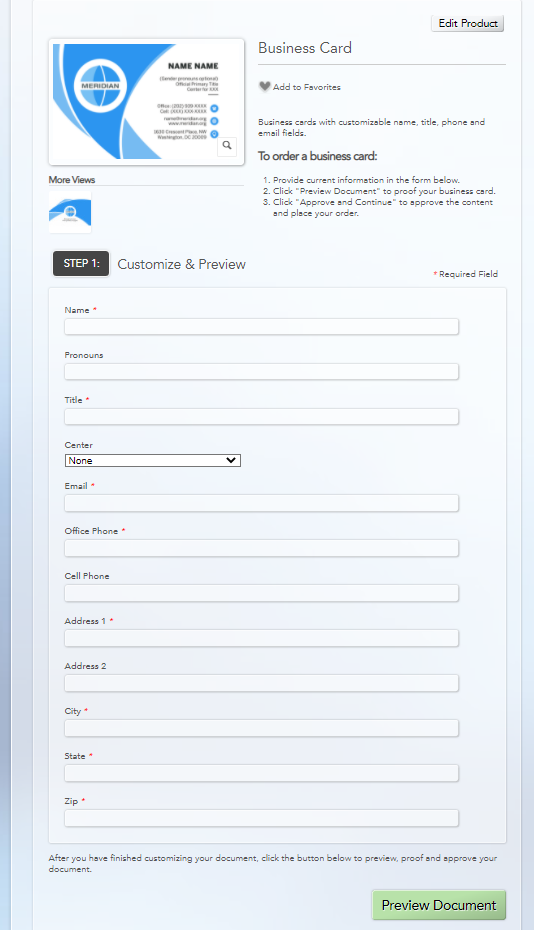
4. Enter your appropriate information (e.g. name, email, title, office phone, Meridian address, etc.) then select "Preview Document". see image 3.
5. If everything looks correct, confirm your card qty. (250 is the standard) then complete your order from shopping cart. Bill to your Department (e.g. IVLP, CE, Maintenance & Operations).
PLEASE NOTE: Business card orders are usually billed to your department after delivery and will therefore require ACH payment process by you or a department contact. For questions on business card order payment process, please contact Finance@meridian.org.
IMAGE 1
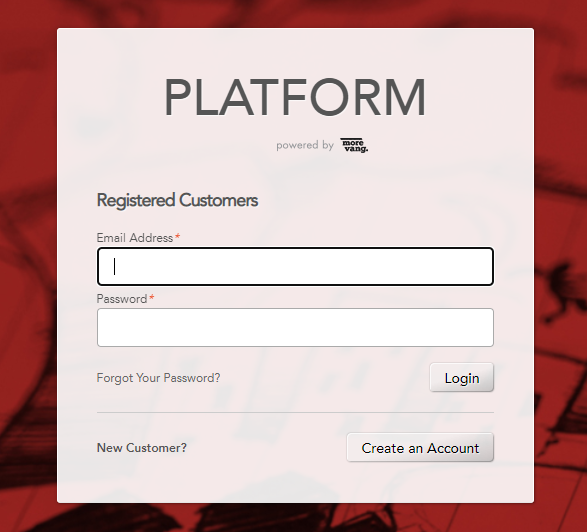
IMAGE 2
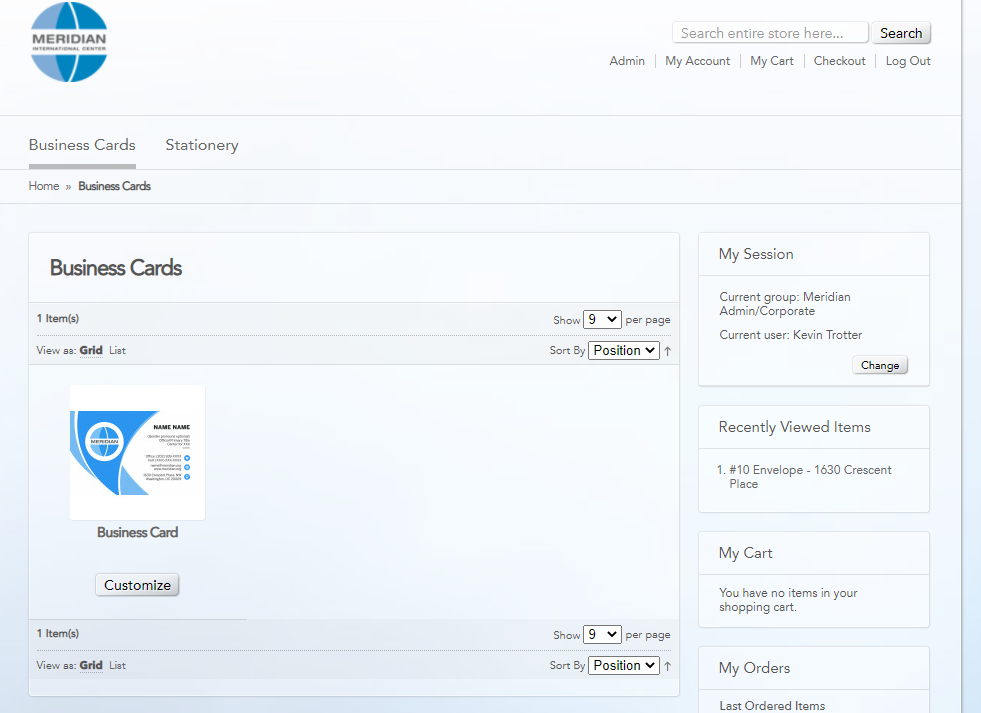
IMAGE 3