
Submit an impression badge to recognize a fellow employee for a job well done. Instructions are below.
1. From the HR & Payroll Self Service home page, select the Impressions link
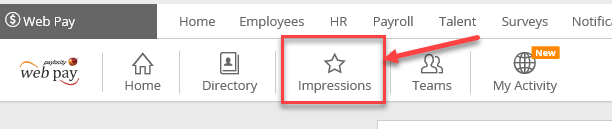
2. From the Impressions popup, select Award Impressions

3. Select the Impression Type from the available list. The selected badge displays a default title and comments.
4. Type the name(s) of the recipient(s) in the Recipient(s) field.
5. Choose whether the Impression will be Visible to Everyone.
- Using the Visible to Everyone toggle, a user can select No to disable its visibility for the Impression.
- This prevents the Impression from reflecting in the Total Awarded and Recipients section of the Impression Dashboard.
- The Impression will not show beneath the News tile in the Self-Service Portal; however, it shows beneath the receiving employee's Activity in the Directory and All Impressions list.
6. Customize the comment information in the Comments field.
7. Once complete, Send the impression.
Such an easy thing to do to boost morale and make life a little less stressful (and fun too).