
Meridian has an organization-wide signature in place, but if you would like too personalize your signature to include your name and phone number, you can do so under your personal settings.
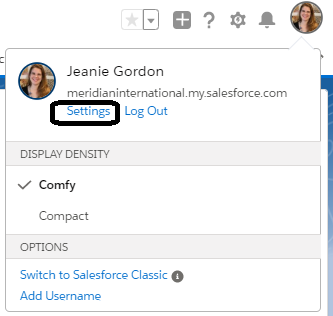
- Click your profile icon/avatar | then click Settings.
- Click Email | click My Email Settings.
- Enter your signature into the "Email Signature" field.
- Click Save.
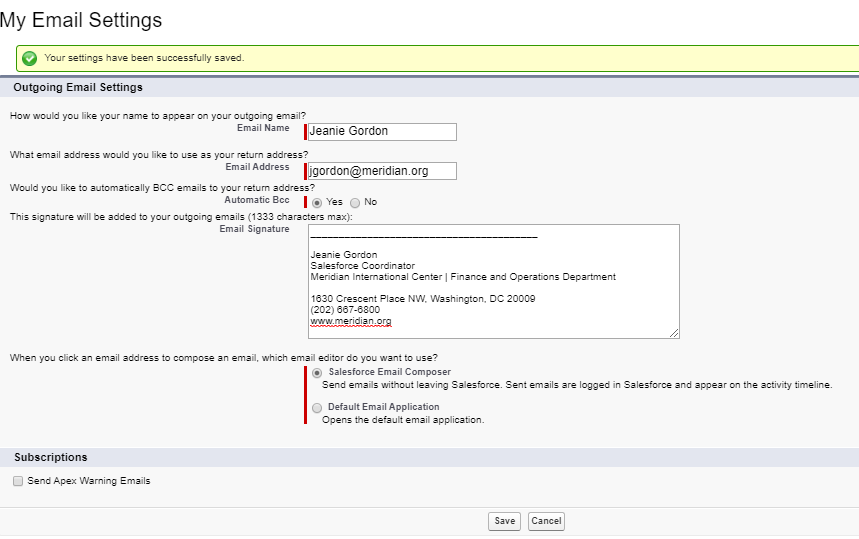
Here you can also edit the name on your outgoing emails and whether you would like to have every email you send via Salesforce also sent to you as a BCC.
The signature box is text-only in Salesforce.