
You are able to send emails directly through Salesforce.
Sending an Email from the Contact Record:
- Open the record from which you want to send the email.
- Click the Activity tab and then click Email.
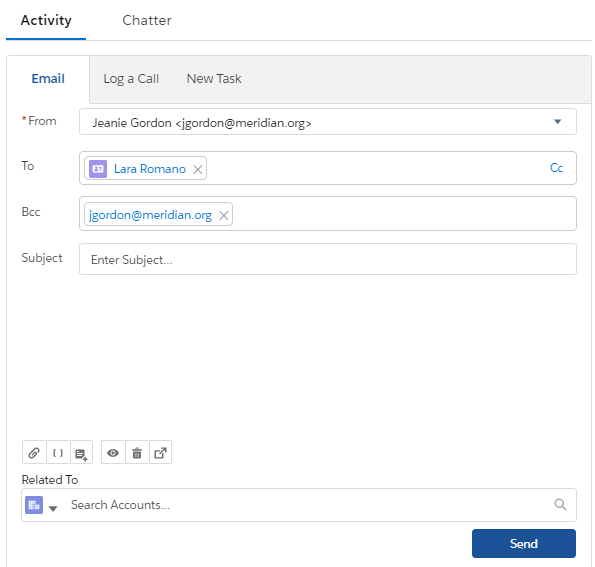
- If the To: field is blank, add an email address for a contact, lead, or person account.
- Write your email, or insert an email template.
- Add any attachments you want. To add multiple attachments from your computer, drag the files into the body of the email.
- Preview and send.
Why would we send an email through Salesforce when we could do it through our email?
It helps us keep track of communications with major stakeholders! For example, if we are working on confirming a deal with a hotel chain for a major parnership across several events and programs, having records of those conversations would be helpful across the organization. Anytime we email from Salesforce and any attachments we send this way will be attached to the Contact record.
Sending Mass Emails through Campaigns
On the upper righthand side of the Campaign page, select the drop-down, then select "Send List Email."
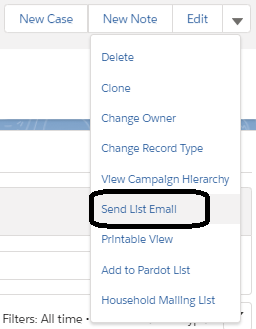
Enter your message and attachments, review, and send. You can save a draft if you need to come back or you need someone to review your message before sending.
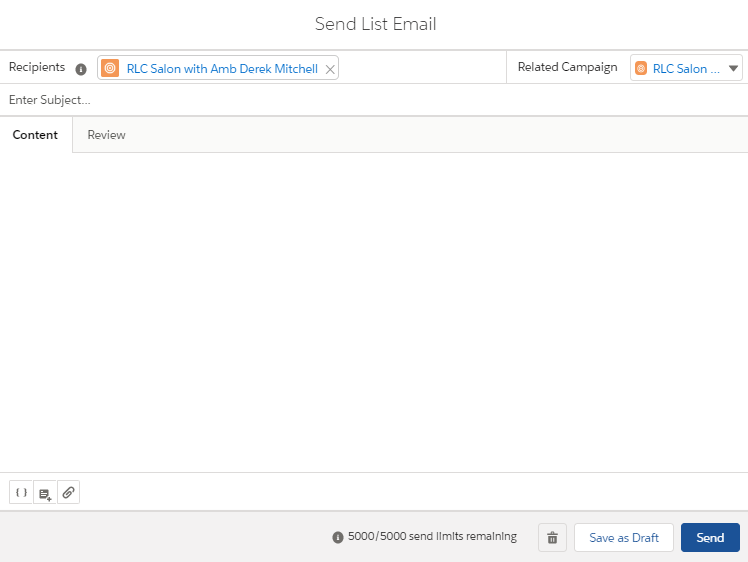
Your message will be connected to the Campaign! There is unfortunately not capacity to do this with custom objects such as Projects just yet.